HTTP & HTTPS only — gRPC, GraphQL, and WebSockets are not supported
scroll
Why this exists
API clients got complicated.
Postman wants a subscription. Insomnia wants your account. Your credentials end up in someone else's cloud. You just want to hit an API — without the song and dance.
This is rough around the edges. That's kind of the point — you're here to break it before anyone else does.
What's different
Built on different principles.
Credentials stay home
API keys and secrets live in files on your machine, never in a vendor's cloud. Never in a browser tab, never in a network request, never in a log.
No vendor account
Download and run. No sign-up, no email, no OAuth flow with a third party. Your tool, your machine, your data.
Sync your way
Your workspace is just a folder. Sync it with Git, iCloud, OneDrive, Google Drive, Dropbox — whatever you already use. No sync subscription, no lock-in.
Not Electron
Small binary, fast startup, no bundled browser engine weighing it down.
Three themes
Full Moon, Dark Moon, Sunlight — switch in one click from the titlebar. Every surface adapts instantly.
Direct Mode
No agent. No proxy. No browser extension.
Browser-based API clients can't make arbitrary HTTP requests — CORS stops them. So they ship a background agent you have to keep running just to use the tool.
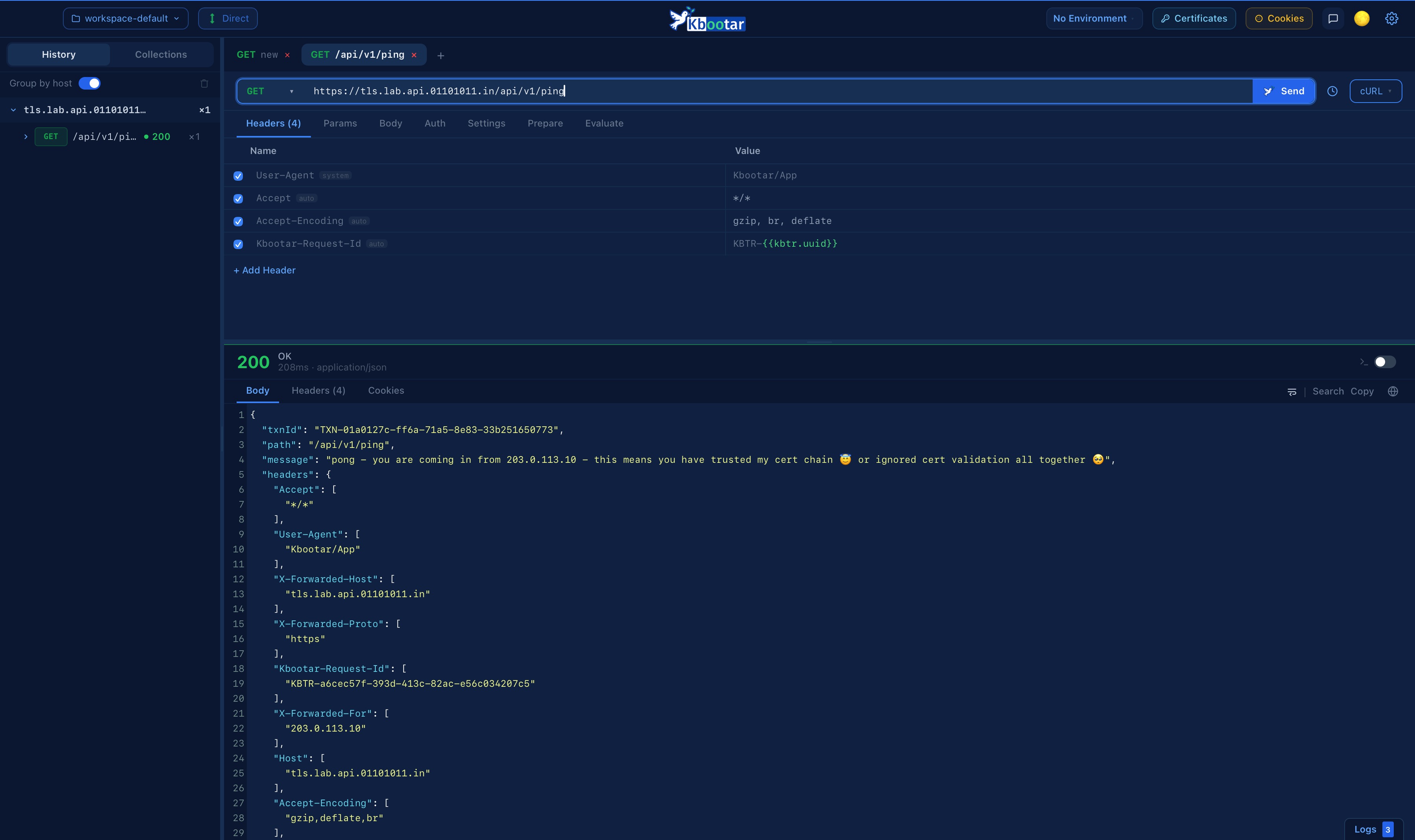
kbootar makes requests directly from the native app. Nothing extra to install. Nothing to restart when it crashes.
Works offline — no cloud relay, no auth handshake on startup
Custom TLS, mTLS, self-signed certs — no browser sandbox to fight
Reach internal APIs on localhost or a private network directly
Other tools
Browser→Agent process→Your API
Agent must be running. Must be updated. Must not crash.
kbootar
kbootar→Your API
That's it. Open the app, send the request.
Bypass Mode
Route through any server you choose.
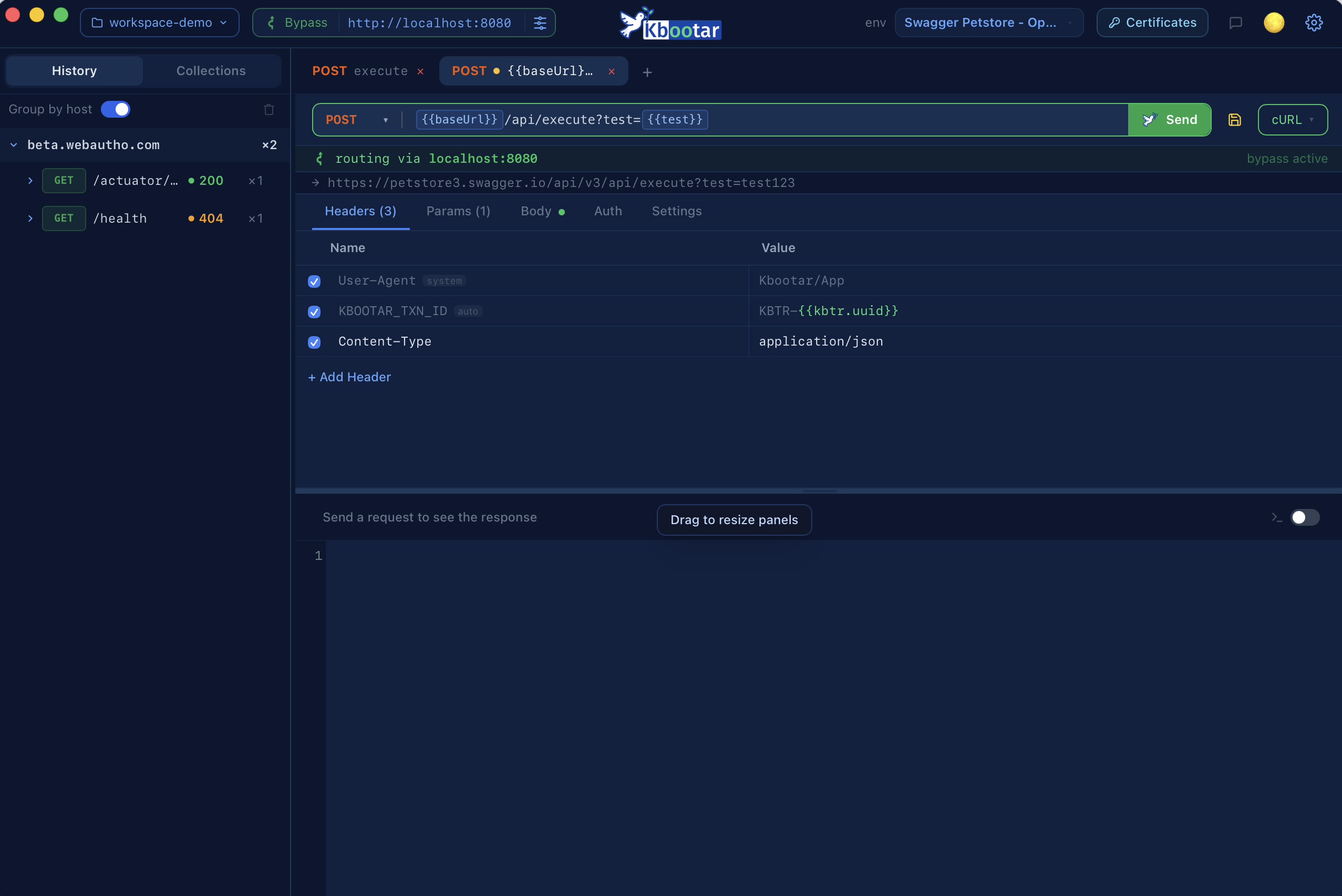
Switch to Bypass and point kbootar at any intermediate server — Node.js, Spring Boot, anything you're already running. Your server sits between kbootar and the target API. It can add auth headers, transform the request, enforce policies, or reach APIs on a private network. No constraints on what that server does or how it's built.
Bypass routing modes
Your request, your route.
Direct to the target. Through a server you control. Shared across your whole team — kbootar adapts to how you work.
Scenario 1
Direct — straight to your API
kbootar app
Your API
The app makes requests directly from your machine — no middleman, no setup. Works for any API your machine can reach: public endpoints, localhost, or internal services on the same network.
VS
Scenario 2
Via kbootar server — private networks, mTLS & full control
kbootar app
SERVER
kbootar server
Your API
Point kbootar at a self-managed kbootar bypass server — running on your LAN, inside a VPC, or on any machine your laptop can't reach directly. The server proxies the call to the target API, attaches auth headers, enforces mTLS, and applies your policies. Credentials never leave the server.
Scenario 3
Team & org — shared servers, any app can reach any target
When a team runs a shared self-managed kbootar bypass server, every developer routes through it regardless of which API they're hitting. Different teams can run their own dedicated servers, share a common one, or both — with cross-connections handled automatically. No VPN config shared around, no credential spreadsheets.
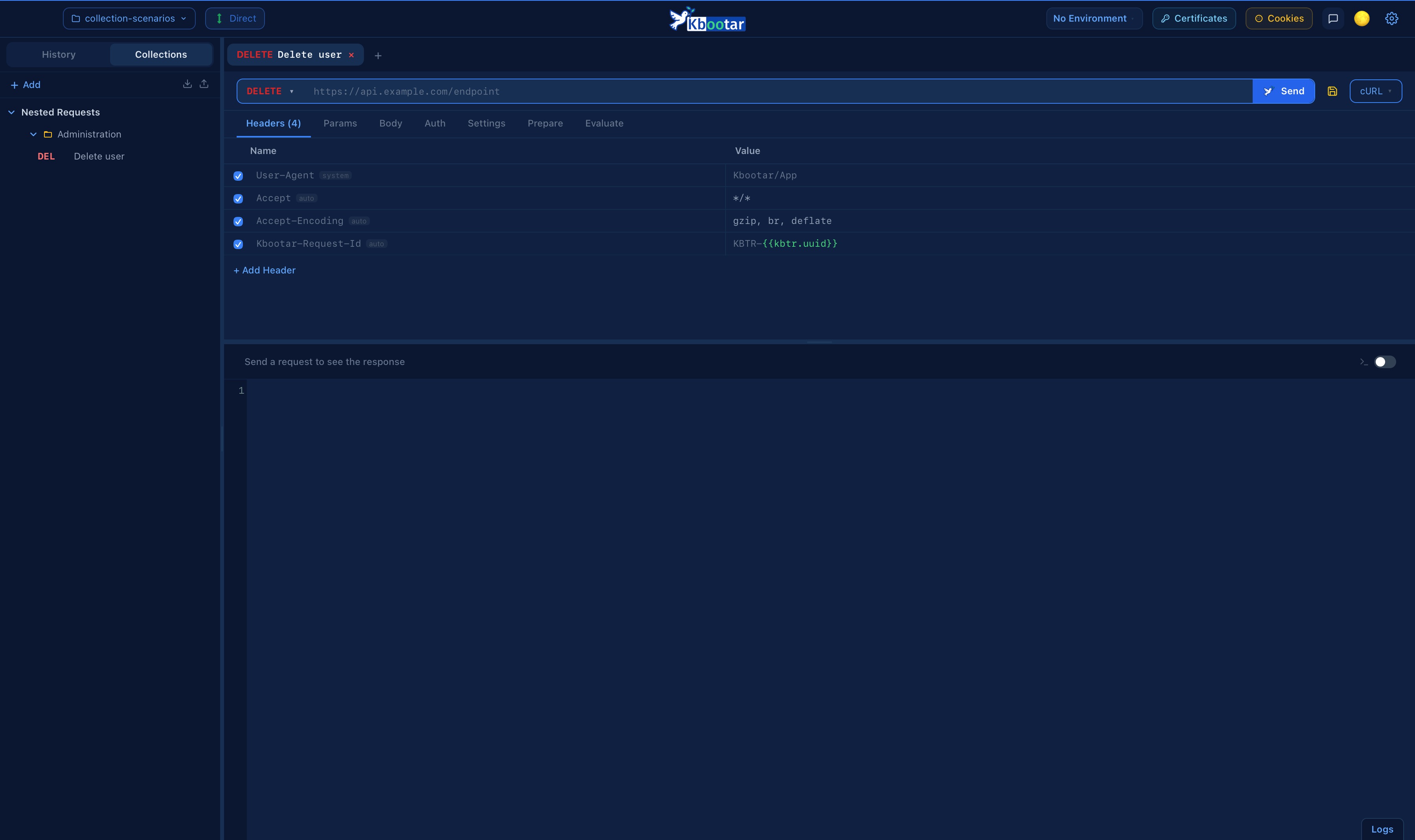
Collections
Organised requests. Drag-and-drop simple.
Nested folders, per-request method colours, drag-and-drop that works in a real native window. Save any tab to a collection in one click.
Unlimited folder nesting
Import from Postman, Insomnia, OpenAPI, HAR
One JSON file per collection — version control friendly
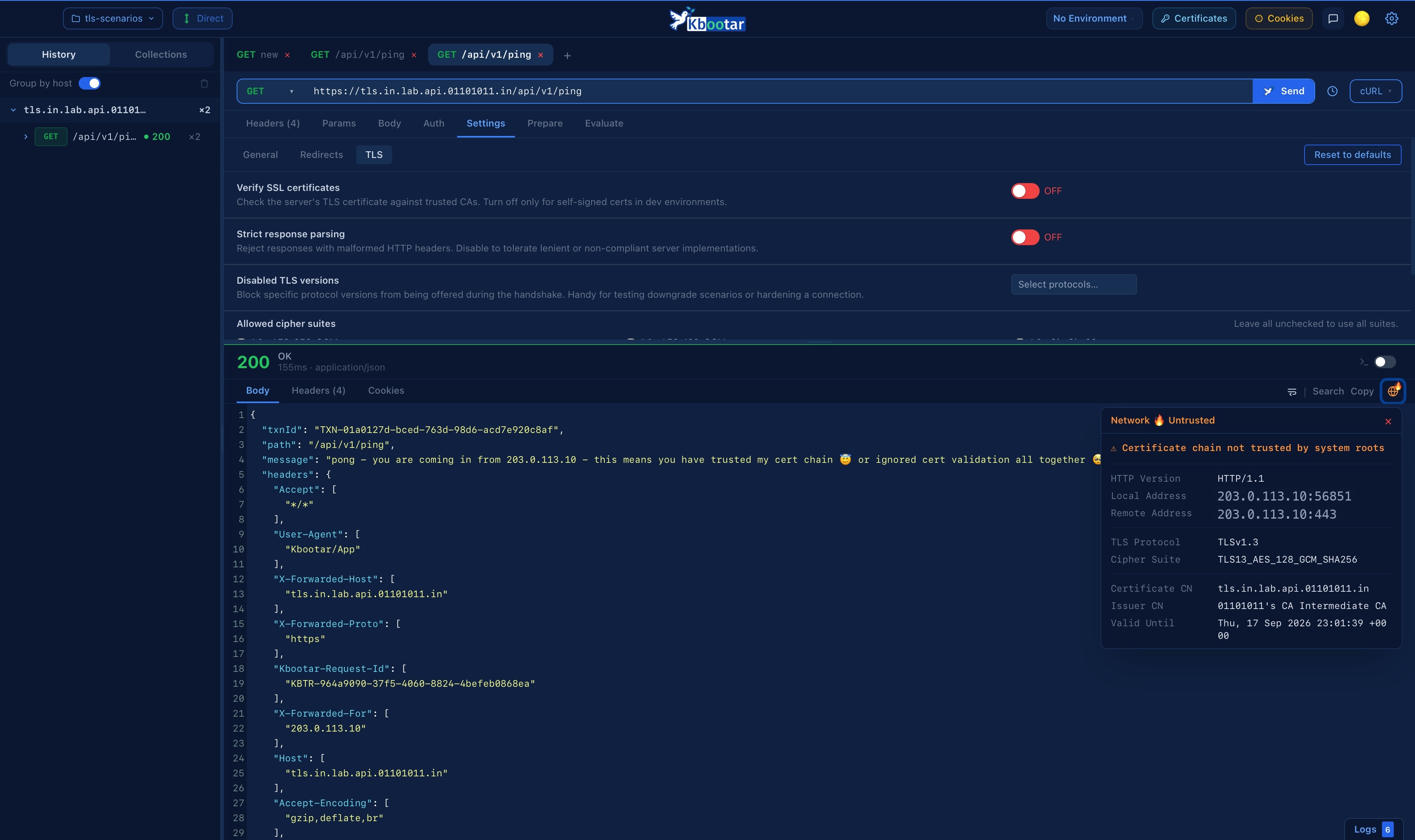
TLS & Certificates
Native TLS. No browser sandbox.
Every request goes through a native HTTP engine, not a browser sandbox. mTLS, custom cipher suites, per-request TLS version control — things a web app simply cannot do.
mTLS client certificates per environment
Certificate fingerprint + trust status on every request
Custom CA bundles, self-signed cert bypass per host
Scripting
Prepare the send. Eval the response.
Every request can carry two JavaScript hooks. Prepare runs before the request leaves — set headers, tweak the URL, mint a nonce. Eval runs on the response — assert on it, extract values, feed the next request.
Chain requests — Eval extracts a token, the next request reads {{access_token}}
Sandboxed QuickJS — no filesystem, no network, no process access, hard timeout
Test results land in the response panel — kb.expect with toBe, toContain, toMatch & more
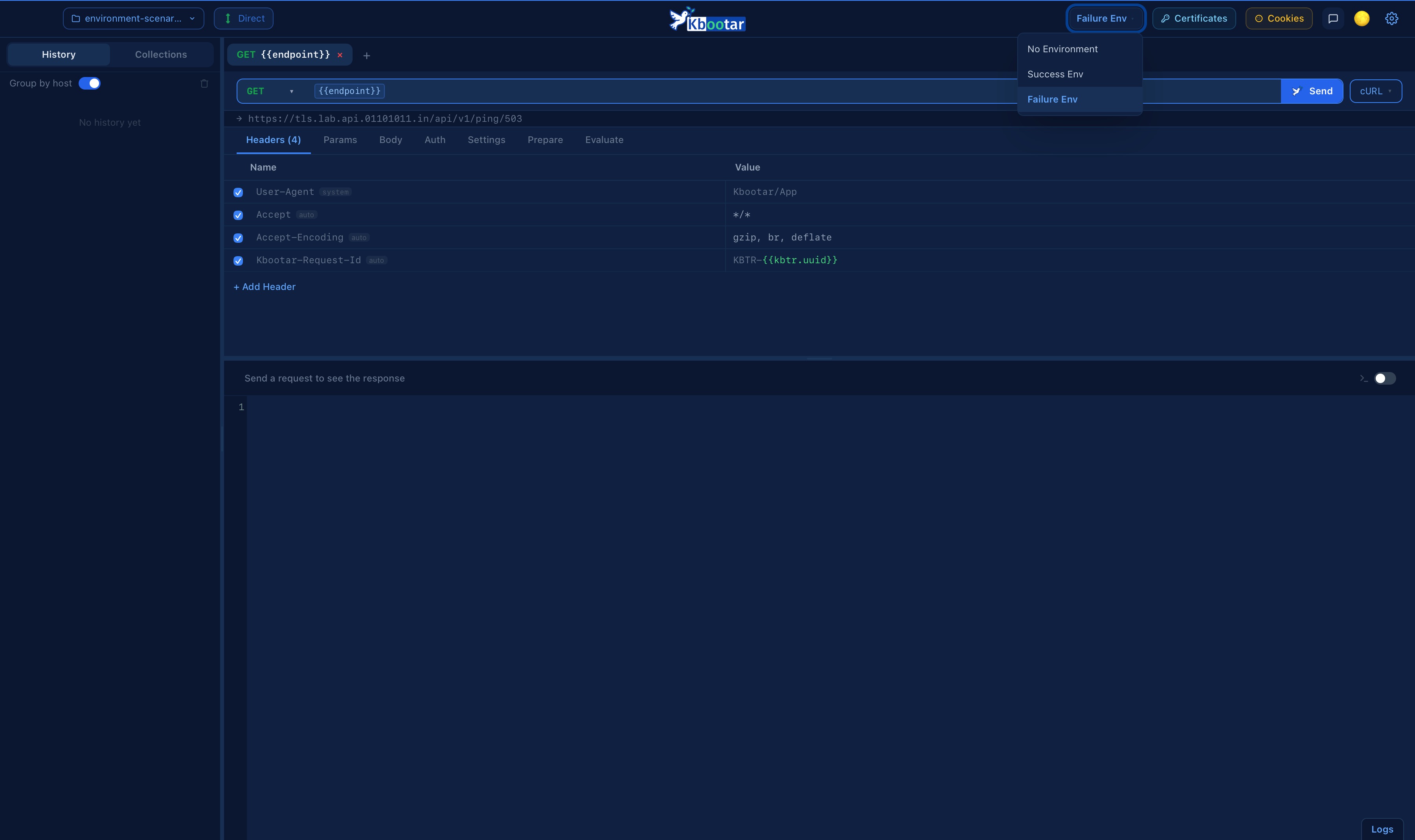
Every {{variable}} in your URL, headers, body, and auth tokens resolves the moment you switch environments. One click moves you from dev to staging to prod — no copy-pasting, no manual edits.
Live URL preview shows the resolved value as you type
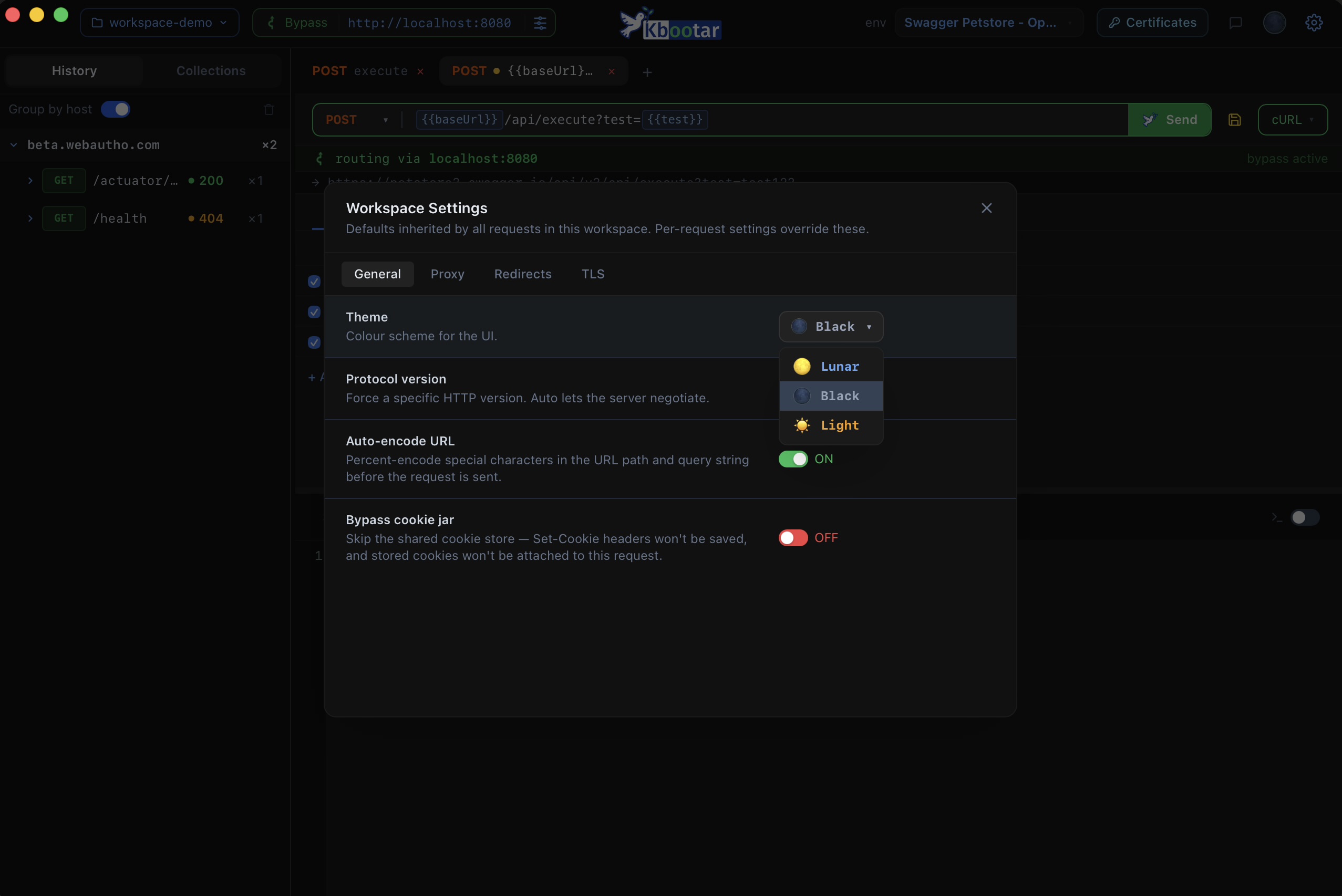
Full Moon, Dark Moon, Sunlight — switch between them in one click from the titlebar. Syntax highlighting, panels, and every surface adapt instantly.
Full Moon — the default dark blue
Dark Moon — deep black for late nights
Sunlight — crisp light theme
Workspace
Your data. Your filesystem.
Everything lives in ~/.kbootar/ — plain files you can inspect, back up, or version-control. No accounts, no sync servers, no lock-in. Multiple workspaces for different projects.
~/.kbootar/workspaces/my-project/ ├── collections/ ← your requests ├── environments/ ← your variables ├── history/ ← request log └── settings.json_
Download
Free · No account required · Beta of beta
Sharing this link? Please don't — this is just for you. The wider beta will have its own moment.